 Handles AI
 Get better handles with AI.
The AI basketball trainer for iPhone. Your camera watches you dribble, calls out moves, and counts every rep.
Download on theApp StoreFree 20-second tryout · then $0.99 for your first week
What is Handles AI?
Handles AI is an AI basketball trainer app for iPhone that helps you improve your dribbling at home, in the driveway or in the gym. Prop your phone up, step back and dribble: Coach Ace calls the moves out loud, the app tracks the ball and your body on device, and every rep gets a grade. If you want an app to improve dribbling that actually watches you, instead of playing videos at you, this is what it is built for.
It is a basketball dribbling app first: pound dribbles, crossovers, between the legs, behind the back, in-and-outs, hesitations, snatch backs and more, with a Ball Handler Score out of 100 that tracks six skills over time. There is no account, video is never recorded or uploaded, and you can try a 20-second session free before you pay. New to ball handling? Start with the free dribbling drills and workouts below.
How it works
Set your phone down
Lean it against a wall or bag 6–8 feet away so your whole body and the ball are in frame.
Dribble the moves it calls
The app calls crossovers, between the legs, behind the back and more, out loud. You dribble.
See your score
Every rep is graded. You get a Ball Handler Score out of 100 and a plan for what to work on.
Counts real dribbles.
The camera tracks the basketball, not just your arms. A dribble only counts when the ball hits the floor and comes back. Pretending scores zero.
- Counts every dribble and your speed
- Knows which hand you used
- Pauses when it can't see the ball
Tells you what to fix.
Do the wrong move and the app says so, like "That was a crossover. Go through the legs." No generic "good job".
See your handle improve.
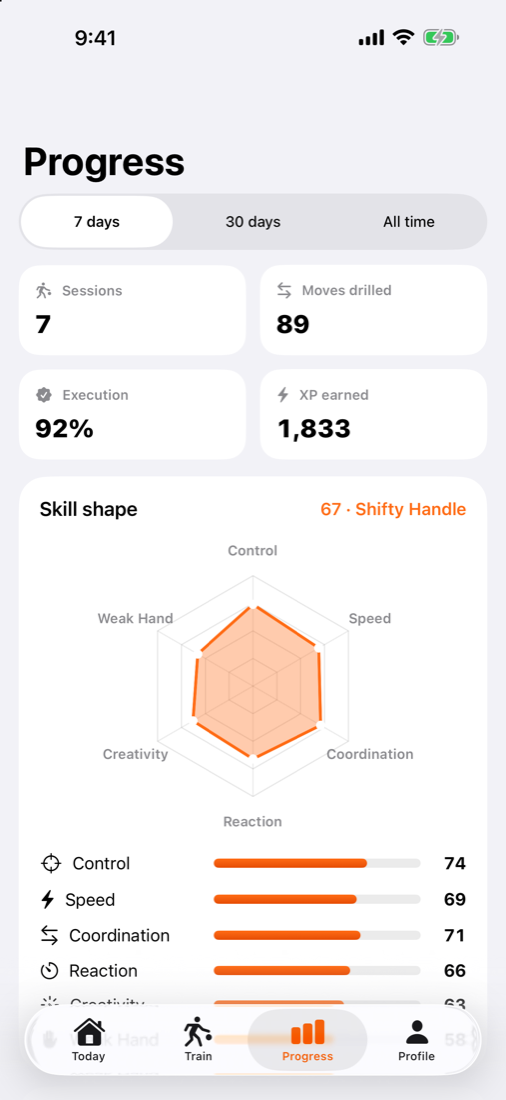
Six ratings (Control, Speed, Coordination, Reaction, Creativity and Weak Hand) add up to your Ball Handler Score. Go from Rookie to Ankle Breaker.
Drills for your weak spots.
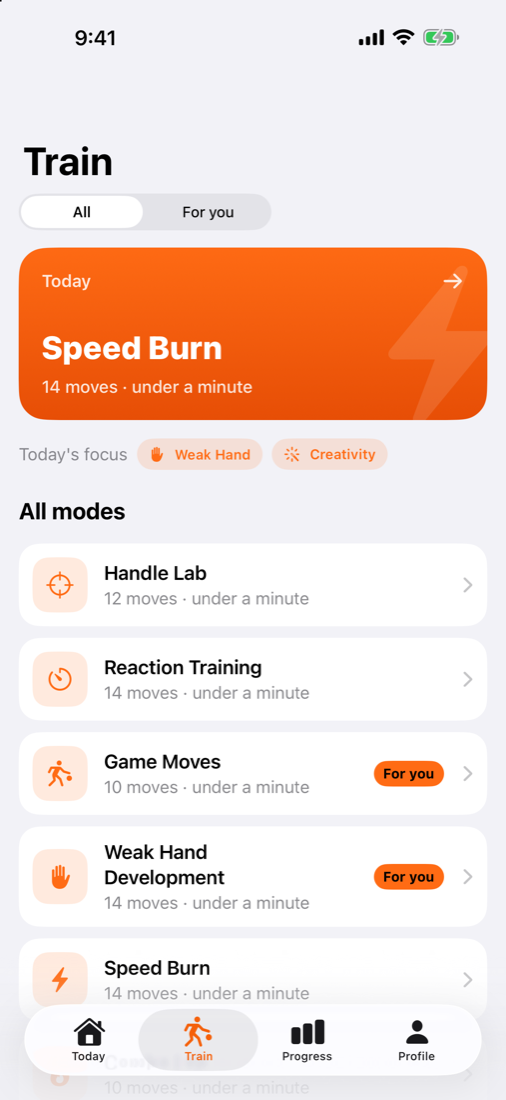
Six workout modes. The app picks today's workout from your lowest ratings, and most sessions take under a minute.
- Handle Lab, Speed Burn, Combo Lab
- Weak Hand, Reaction, Game Moves
- Free Dribble to just count
Train a little every day.
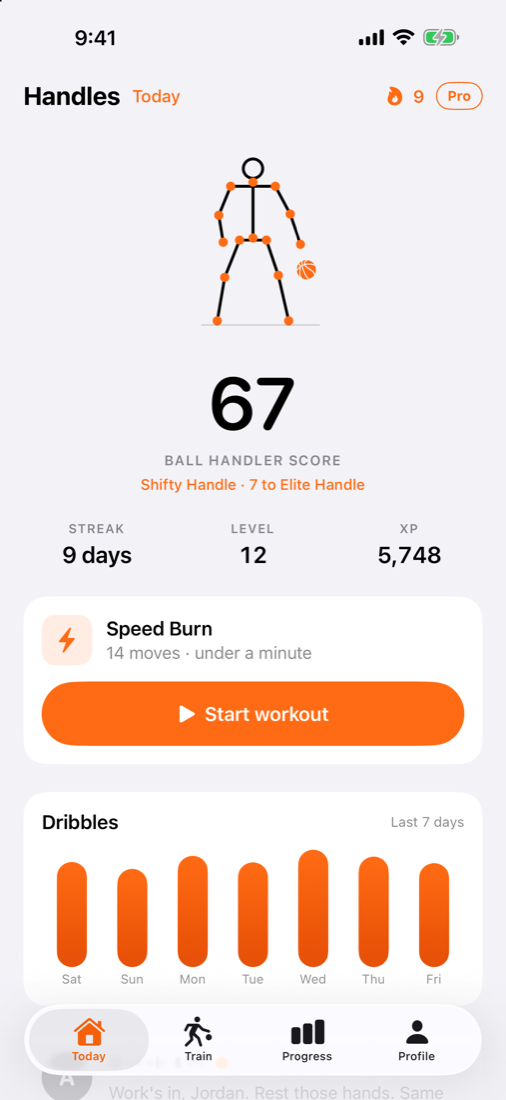
Streaks, daily challenges, XP and reminders keep you coming back. Your dribbles for the week are right on the home screen.
Simple pricing.
Try a free 20-second session first. Keep going for $0.99.
Then $6.99/week. Cancel anytime.
YearlyAbout $0.77 a week. Save 88%.
Subscriptions renew automatically until canceled. Cancel anytime in Settings › Apple Account › Subscriptions at least 24 hours before renewal.
Questions
Does it actually track the ball?
Yes. The app runs a basketball detector and body tracking on your iPhone. A dribble only counts when the ball goes down, hits the floor and comes back. Moves like crossovers and between-the-legs are checked from where the ball goes.
What do I need?
An iPhone, a basketball and about 8 feet of space. Lean the phone somewhere so your whole body and the ball are in view. Indoors or outdoors both work; good light helps.
Is it good for kids and beginners?
Yes. You pick your level when you start, and the plan adjusts. Beginners start with pound dribbles and simple crossovers.
Is my video recorded or uploaded?
No. Tracking happens on your iPhone in real time. Video is never saved or sent anywhere.
How much does it cost?
The first workout is a free 20-second tryout. After that it's $0.99 for your first week, then $6.99 a week, or $39.99 a year.
How do I cancel?
On your iPhone, open Settings › your name › Subscriptions › Handles AI and tap Cancel. Do it at least 24 hours before it renews.
Free drills, workouts and guides
Learn a move, follow a timed workout, or read up on how AI training works. Everything here is free, with or without the app.
Browse
Popular drills
Workouts and guides
Start your first workout today.
Grab a ball, set your phone down and see your Ball Handler Score in 20 seconds.
Download on theApp Store